
Tech , SaaS
What Is B2B SaaS Ecommerce? Examples and Use Cases

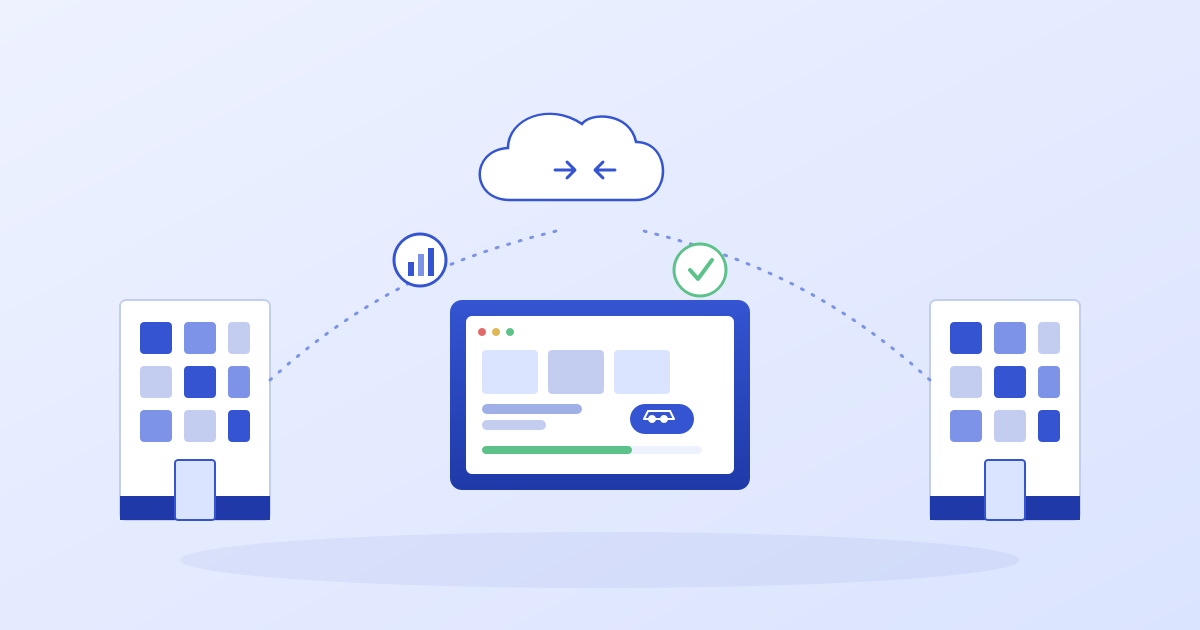
B2B SaaS ecommerce is reshaping how companies sell to other companies online, and if you run a wholesale, distribution, or manufacturing business, this shift is already affecting how your buyers expect to order from you. In simple terms, B2B SaaS ecommerce means running your business-to-business sales channel on cloud software that you rent on a subscription basis, instead of buying licenses and hosting everything on your own servers.
You log in through a browser, your vendor takes care of hosting, security patches, and feature updates, and you focus on what actually matters — getting your products in front of the right buyers and closing deals. If you’re still relying on spreadsheets, email threads, and phone calls to process orders, understanding how B2B SaaS fits into your ecommerce strategy isn’t optional anymore — it’s the difference between keeping your buyers and watching them quietly switch to a competitor with a smoother digital experience.
How Does B2B SaaS Ecommerce Actually Work?
The term “SaaS” stands for Software as a Service. Rather than purchasing software outright and installing it on in-house infrastructure, your company pays a recurring fee to access applications hosted remotely by a provider. When those applications are built specifically to power online catalogs, shopping carts, quote requests, and order management between businesses, that’s where B2B SaaS ecommerce comes in.
Picture a distributor portal: a manufacturer sets up a secure, login-protected storefront where wholesale buyers can see their negotiated pricing, place repeat orders in bulk, and check shipment status in real time. The manufacturer pays a monthly or annual subscription to a software vendor, who keeps the backend running, secure, and updated. The buyer, on the other end, just sees a clean, fast, easy-to-navigate store. That’s the core idea behind B2B SaaS ecommerce.
If you go back to basic business studies, B2B simply refers to one company selling to another. B2B SaaS ecommerce takes that same concept and rebuilds it as a cloud-based storefront, with subscription billing replacing boxed software and constant feature rollouts replacing static, outdated systems. Heading into 2026, most analysts agree that new B2B ecommerce projects increasingly default to SaaS platforms because they dramatically cut down launch time and remove the burden of maintaining a large internal IT team just to keep the commerce engine running.
Breaking Down the Basics of B2B SaaS
At its core, B2B SaaS ecommerce simply means your online wholesale or procurement channel is powered by subscription software hosted by an outside provider. Depending on the vendor, you might pay based on number of users, total order volume, or a flat subscription fee — and in exchange, the provider rolls out new features, fixes bugs, and patches security issues without requiring you to touch a single server.
What “B2B SaaS” Really Means
Business-to-Business Software as a Service spans far more than just storefronts. It includes CRMs, billing tools, analytics dashboards, and customer support software — all built with organizations as the end user rather than individual consumers. Instead of one-time software purchases, vendors earn ongoing subscription revenue, while their business customers shift from large upfront capital costs to smaller, predictable operating expenses paired with much faster setup times.
You know you’re dealing with genuine B2B SaaS ecommerce when the product lives in the cloud, works through a browser or mobile app, and runs on a subscription model that bundles in hosting, ongoing updates, and customer support. Most major B2B-focused software companies operate this way today, running multi-tenant infrastructure that serves thousands of merchants from one shared codebase while still keeping every merchant’s data completely separate and secure.
A Day in the Life of a B2B SaaS Buyer
On an average day, your buyer logs into your B2B storefront using their company credentials and immediately sees a catalog, pricing, and payment terms tied specifically to their account. They can place new orders, request custom quotes, or reorder items they’ve bought before — all without picking up the phone or emailing your sales team. Meanwhile, your internal staff sees every transaction from a single, unified admin dashboard.
Behind the curtain, the platform constantly syncs data with your ERP and CRM systems, keeping inventory counts, pricing rules, and customer records aligned across every tool you use. Many providers now offer ready-made connectors for major ERP systems — think SAP, Microsoft Dynamics, or NetSuite — so you’re not stuck building custom integrations from the ground up. That means your buyers see live stock levels and accurate account balances right inside the storefront, which has become the standard expectation for B2B buyers in 2026.
This is essentially what people mean when they talk about “self-service portals” — buyers manage their own day-to-day ordering online, while your sales and support teams step in only when things get complicated: large negotiated deals, contract changes, or custom quoting. That combination of automation plus a human touch is exactly where modern B2B SaaS platforms outperform old-school email-and-spreadsheet workflows.
Why SaaS Beats Building It Yourself
A decade ago, many B2B brands built custom ordering portals on in-house frameworks and carried heavy ongoing maintenance costs as a result. Today, established SaaS ecommerce platforms ship core B2B functionality — company accounts, tiered price lists, flexible payment terms, and quote workflows — as part of your subscription, meaning you’re not funding every single feature out of your own development budget.
You still have plenty of room to customize through apps, APIs, and headless commerce setups, but the heavy lifting — uptime, scaling, security certifications, content delivery, backups — stays with the vendor. That significantly lowers risk for most mid-sized companies that have no interest in running their own commerce infrastructure team. Whether you’re selling industrial equipment, bulk inventory, or specialty goods, a SaaS-first approach generally gives you stronger reliability for a fraction of the internal effort.
You can also combine multiple SaaS tools — one platform for the actual storefront, another for product sourcing, another for partner or affiliate-driven sales. As long as each tool exposes solid APIs and webhooks, you can stitch them together into one seamless customer experience while letting each individual tool focus on doing its own job well.
Real-World Examples of B2B SaaS Ecommerce
It helps to think of B2B SaaS examples as the behind-the-scenes engines that keep orders, catalogs, and contracts flowing smoothly without constant phone calls. Here are the categories you’ll actually run into once you start digitizing your B2B sales process.
. Cloud commerce storefronts — These are the primary B2B ecommerce engines that buyers interact with directly: searchable catalogs, tiered pricing, quote requests, carts, and checkout flows designed for bulk orders and multiple decision-makers within one company. They handle company-level accounts, internal approval chains, and repeat ordering automatically, so your sales reps aren’t manually entering every purchase order by hand.
. ERP-connected web stores — Some platforms plug directly into your existing ERP system and reuse its pricing logic, credit limits, and product data inside the online storefront. This eliminates duplicate data entry, and your customers always see accurate, live stock levels, contract-specific pricing, and current invoice status.
. Digital catalogs and punchout integrations — With punchout, your SaaS platform exposes your product catalog directly inside a buyer’s own procurement software, letting their purchasing team shop your catalog without leaving their internal system, and sending the resulting order straight back into your platform automatically. It’s still B2B SaaS — just embedded inside someone else’s workflow.
. Subscription and recurring billing tools — Many B2B companies combine one-time purchases with ongoing subscriptions for consumables, service contracts, or software licenses. Dedicated billing platforms handle usage metering, prorated charges, renewals, and invoicing automatically, so finance teams aren’t manually chasing down numbers in spreadsheets.
. B2B customer portals — These let buyers check order history, track shipments, download past invoices, and open support tickets, all from a single login. This dramatically cuts down on inbound calls and emails while still leaving room for account managers to focus on bigger strategic conversations.
. Marketplace and multi-supplier hubs — A B2B marketplace setup lets you host multiple suppliers under one roof and automatically route orders to the correct one, all while you retain ownership of the buyer relationship. Many brands layer additional sourcing or fulfillment tools on top of this kind of setup to test new product categories quickly.
. Data and analytics tools — Reporting platforms pull data from your ecommerce system, ERP, and CRM to surface margins, buying patterns, and product performance across every B2B account you serve. This lets you spot, for example, which SKUs your top accounts reorder month after month, and build targeted bundles or promotions around that behavior.
How to Move to B2B SaaS Ecommerce in 2026
Switching from a legacy or self-hosted commerce setup to a SaaS-based platform can feel overwhelming, but breaking it into clear steps makes it manageable. Treat this as a business transformation first, and a technology rollout second.
1. Map your existing B2B buying journeys. Document exactly how quotes, orders, approvals, and reorders move today — whether through email, spreadsheets, phone calls, or manual ERP entry. Flag the obvious bottlenecks, like manual pricing checks or repeated stock-confirmation calls, since these become priority flows in your new system.
2. Prioritize real use cases over flashy features. Instead of trying to launch every possible feature on day one, pick three to five high-impact flows for your first phase — things like self-service reordering, online quote requests, or distributor-specific portals. You can always expand later; shipping something genuinely useful quickly matters far more than chasing a long feature wish list.
3. Shortlist platforms that fit your existing ERP and CRM. Look specifically at which B2B SaaS platforms already offer strong, pre-built connectors for your ERP and CRM systems. Some platforms build the storefront directly on top of your ERP data, while others rely more heavily on apps and custom APIs to connect with mainstream back-office systems.
4. Get your data migration plan sorted early. Clean up product data, customer account hierarchies, and pricing rules before the move — not after. Messy data going in will make even the best B2B SaaS platform feel broken from day one. IT, sales, and finance teams need to agree in advance on what counts as the “source of truth” for each data field.
5. Run a real pilot with actual customers. Choose a smaller group of buyers — maybe a single region or one partner segment — and bring them onto the new portal while your old process keeps running in parallel. Use their direct feedback to fine-tune navigation, catalog structure, and account permissions before rolling out more broadly.
6. Train your internal team properly. Sales, support, finance, and warehouse staff will all touch the new system in some way, so handing IT a login and walking away isn’t enough. Run short, role-specific training sessions focused on actual daily tasks — building a quote, adjusting a credit limit, processing a refund, or checking inventory.
7. Clean up the rest of your ecommerce stack. While you’re adopting B2B SaaS, it’s a good time to also tidy up adjacent tools — sourcing platforms, fulfillment workflows, or any retail-side tools you’re running in parallel — so your new B2B system doesn’t end up working against the rest of your stack.
Leading B2B SaaS Ecommerce Platforms to Know in 2026
1. Shopify Plus with B2B on Shopify
Shopify Plus’s B2B functionality gives larger merchants a single admin panel for both direct-to-consumer and B2B operations, eliminating the need to run two completely separate stores. Company profiles, multiple shipping locations, custom payment terms, and customer-specific catalogs are all built natively into the platform rather than bolted on as an afterthought. Recent updates have added support for ACH payments, company-level store credit, and flexible pickup options at checkout for B2B orders.
Key strengths include detailed company profiles with multiple buyers and locations per account, custom price lists and catalog visibility by company or region, a dedicated self-service portal for reordering and invoice tracking, deep checkout customization through Shopify’s developer tools, and strong API support for connecting ERP, PIM, or logistics systems.
2. BigCommerce B2B Edition
BigCommerce’s B2B Edition adds a buyer-facing portal and a set of corporate account features on top of its Enterprise plan, sold as a complete SaaS bundle aimed at manufacturers, distributors, and wholesalers who want a modern buying experience without managing their own infrastructure.
It offers a dedicated buyer portal for shopping lists, invoices, and quick reordering, account hierarchy controls for managing roles and permissions across departments, the ability for sales reps to log in as a customer to build carts or submit quotes, quick-order tools for buyers who already know their SKUs, and an open architecture that connects easily with ERP and CRM systems.
3. Salesforce B2B Commerce (Commerce Cloud)
Built on Salesforce’s Commerce Cloud, this platform is tightly woven into Salesforce’s broader CRM ecosystem, making it a strong fit for larger organizations juggling complex catalogs, contract pricing, and multi-region operations.
Standout features include native integration with CRM data so sales reps see commerce activity directly on customer records, support for account-specific catalogs and volume-based pricing, scalable self-service ordering paired with human-led handling of exceptions, and deep integration across Salesforce’s Sales Cloud, Service Cloud, and Experience Cloud products.
4. OroCommerce
OroCommerce was built from the ground up with B2B in mind, and it remains popular with mid-market and enterprise sellers who need deep account structures and built-in workflow tools. It can run as a managed cloud service or be self-hosted, depending on your IT preferences.
It comes with native quote-to-order and RFQ workflows, multi-level corporate account hierarchies with budget controls, a built-in CRM rather than a bolted-on third-party tool, flexible deployment options, and a rich out-of-the-box B2B feature set including punchout support and multi-brand management.
5. Sana Commerce Cloud
Sana is built specifically to sit on top of ERP systems like Microsoft Dynamics and SAP, treating the ERP as the single source of truth rather than duplicating data into a separate commerce database.
It delivers real-time syncing of pricing, stock, and customer data straight from the ERP, customer-specific catalogs and storefronts for different markets or brands, the ability to carry over complex internal rules like credit checks and approval flows, built-in analytics around adoption and order accuracy, and a strong partner network across both the Microsoft and SAP ecosystems.
6. VTEX
VTEX is a multi-tenant SaaS platform used by large global brands to run B2B, direct-to-consumer, and marketplace operations from a single shared codebase. It leans heavily into composable, headless architecture for teams that want flexibility without sacrificing the benefits of shared infrastructure.
Notable features include native support for buying groups, RFQs, and bulk ordering, a composable front-end architecture that lets you mix pre-built components with custom development, the ability to run B2B, DTC, and marketplace models simultaneously, integrated order management across warehouses and sales channels, and true multi-tenant SaaS infrastructure running on cloud hosting with built-in auto-scaling.
Final Thoughts
B2B SaaS ecommerce is really about trading server headaches and rigid, custom-built portals for flexible subscription platforms that can keep pace with how buyers actually want to shop in 2026. This shift goes beyond just technology — it changes how your sales team operates, how your buyers place orders, and how easily you can experiment with new models down the road. Start with a clear picture of your current buying journeys, get your data in order, and roll things out gradually with real customer feedback, and B2B SaaS ecommerce becomes a long-term growth engine rather than just another software project sitting on a shelf.
Frequently Asked Questions
What is B2B SaaS ecommerce?
B2B SaaS ecommerce refers to business-to-business online selling powered by subscription-based cloud software rather than on-premise systems. Buyers and admins access everything through a browser, while the software vendor handles hosting, security, and ongoing updates behind the scenes.
How is a B2B SaaS ecommerce model different from B2C?
B2B platforms need to support company accounts, multiple buyers per customer, negotiated pricing, volume discounts, and internal approval workflows — features that standard consumer-facing stores simply don’t require. You’ll spot a true B2B setup by the presence of payment terms, purchase-order-based checkout, and multi-step approval chains.
What are some common B2B SaaS ecommerce examples?
Typical examples include wholesale distributor portals, dealer portals for equipment manufacturers, and ERP-connected web stores. Platforms like Shopify Plus, BigCommerce B2B Edition, Salesforce B2B Commerce, OroCommerce, Sana Commerce Cloud, and VTEX all support these use cases on a subscription basis.
How can a small wholesaler get started with B2B SaaS ecommerce?
Start small by launching a limited catalog for your top accounts on a SaaS platform, then expand once buyers are comfortable with the new process. Begin with simple self-service reordering and digital invoicing, then layer in quoting, tiered pricing, and deeper ERP integrations as you grow.
AI generated business plans have a reputation problem, and honestly, it is a deserved one. Ask almost any experienced investor or lender and they will tell you the same story: a plan that reads beautifully on the surface, complete with confident revenue projections and a tidy competitive landscape, only to fall apart the moment someone starts checking the actual numbers. Fabricated competitors, invented market statistics, and hockey stick growth curves built on nothing but optimism are disturbingly common when AI writes a plan without real human oversight.
That does not mean AI tools are useless for business planning. Quite the opposite. Used correctly, they can dramatically speed up drafting, help organize scattered ideas, and handle the financial modeling grunt work that used to eat entire weekends. The real skill lies in knowing which tool actually fits your situation, and understanding exactly where AI assistance needs a human check before anything gets sent to an investor or a bank.
This guide walks through the strongest AI business plan tools available, what each one is genuinely good at, where they tend to fall short, and how to think about picking the right one for your specific situation.
Why So Many AI Generated Plans Fall Apart Under Scrutiny
Before comparing specific tools, it helps to understand exactly why this category of software struggles so consistently with credibility.
Large language models are fundamentally prediction engines. They generate text that sounds statistically plausible based on patterns learned from enormous amounts of writing, not text that has been fact checked against real market data. When asked for a competitor list or a market size figure without being given real data to work from, many tools will simply generate something that sounds reasonable rather than admitting they do not actually know the answer. This tendency, often called hallucination, is exactly why a business plan generated entirely by AI needs careful human verification before it goes anywhere near an investor or a loan officer.
Financial projections carry a similar risk. Without a real financial model behind them, AI tools tend toward unrealistic optimism: revenue ramps up faster than any real business typically achieves, costs stay suspiciously low, and timelines quietly ignore the operational delays every founder actually experiences. None of this is necessarily malicious. It simply reflects what these models were trained to do, which is produce plausible sounding text, not verified financial forecasting.
What Investors Actually Want Versus What Lenders Want
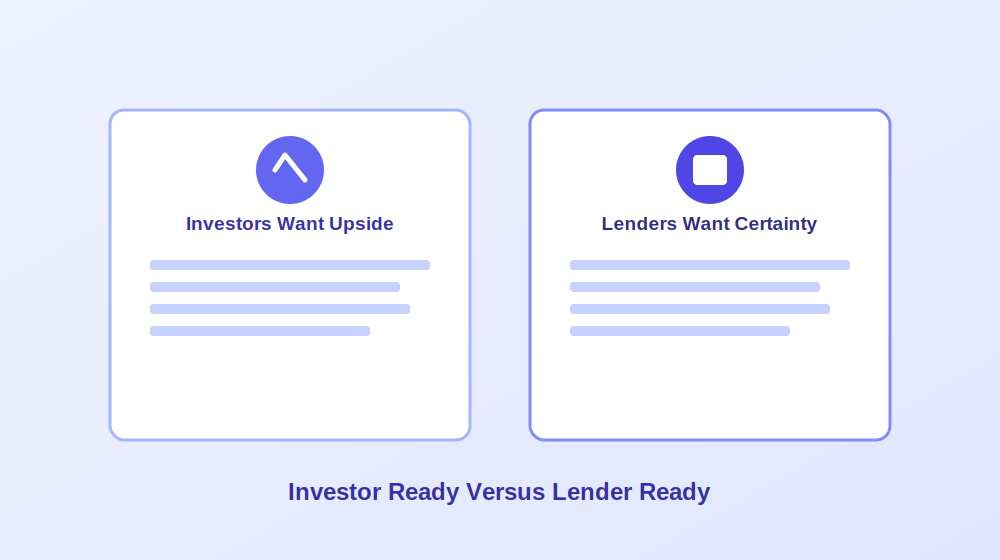
One of the most common mistakes founders make is treating “investor ready” and “lender ready” as the same goal. They are genuinely not, and understanding the difference changes which tool actually makes sense for your situation.
Investors are buying upside. They want a clear problem tied to a paying customer segment, real evidence that people want the product, whether that is a waitlist, signed letters of intent, or actual pilot usage, credible market sizing with sources attached, a specific go to market plan including realistic acquisition costs, a founder story explaining why your team specifically understands this problem, and growth projections that feel ambitious yet still grounded in reality. Many AI generated plans fail here specifically because they produce a polished sounding executive summary sitting on top of genuinely weak market logic, something experienced investors tend to notice within minutes.
Lenders are buying certainty. Banks, microlenders, and government backed loan programs care far more about predictability than disruption. A genuinely lender ready plan needs month by month cash flow forecasts, a healthy debt service coverage ratio, conservative revenue assumptions rather than optimistic ones, clear repayment logic, and multiple years of properly formatted financial statements. This is exactly why the quality of a tool’s financial projection engine matters enormously for anyone pursuing a loan rather than equity investment.
Strong AI Tools for Financial Forecasting and Lender Ready Plans
A category of dedicated business planning platforms focuses specifically on turning inputs into full, audit friendly financial models rather than just narrative text.
Tools in this category typically generate complete three statement financial models, meaning a profit and loss statement, cash flow statement, and balance sheet that actually connect to each other logically, along with scenario planning that lets you stress test assumptions before committing to them. Many integrate directly with accounting software, which keeps projections tied to real historical business data rather than numbers pulled from thin air.
The tradeoff with this category is usually flexibility and cost. These platforms tend to feel more rigid once you have moved past the guided setup process, the AI generated prose can feel somewhat generic without significant editing, and genuinely free tiers are rare, usually replaced with a time limited trial instead. For anyone pursuing an SBA loan or a bank line of credit specifically, though, this category consistently produces the most defensible, lender friendly output of any AI assisted approach.
Tools Built Around Guided Templates and Idea Validation
A different category of tool focuses on walking early stage founders through business planning step by step, using guided prompts about the idea, target customers, and rough finances before assembling everything into a structured plan.
This approach genuinely shines for beginners still validating whether an idea is worth pursuing at all. The guided structure prevents the blank page problem entirely, and the output, while lighter on deep financial analysis than dedicated forecasting platforms, gives a solid first draft to iterate on. The real limitation shows up once you need something publication ready for serious investor or lender review, since the analysis underneath tends to stay fairly high level by design.
Design Focused Tools for Presentation and Pitch Decks
A meaningfully different category of tool treats business planning primarily as a design and communication problem rather than a financial modeling one. These platforms excel at producing genuinely professional looking documents and pitch decks quickly, often through template driven layouts with AI assisted writing filling in each section.
The strength here is real: a business plan that looks credible and well organized meaningfully improves how it lands with a reader, and having free access to build something presentable without a subscription is genuinely valuable for early stage founders on a tight budget. The clear tradeoff is financial rigor. These tools generally will not build or verify your financial model at all, requiring you to paste in numbers you have calculated elsewhere, and they tend to skip the kind of standardized, lender specific formatting that a bank loan application actually requires.
Frameworks Based Strategic Planning Tools
Another category leans on established business strategy frameworks, things like SWOT and PESTEL analysis, to produce a first draft that feels more structured and consultant like than a typical AI generated document. This can genuinely add useful strategic depth quickly, helping surface risks and market factors a founder might not have considered independently.
The honest tradeoff is a real tendency toward unverified claims. Tools in this category have a documented pattern of generating market figures and references that sound authoritative but cannot actually be traced back to any real, checkable source. Anyone using this kind of tool needs to treat every statistic as an unverified starting point requiring independent confirmation, not a finished fact.
Budget Friendly Options for a Fast First Draft
For founders who mainly need a quick, low cost first draft rather than deep financial sophistication, a category of affordable planning tools exists specifically to fill that gap, often through a simple guided questionnaire and a one time payment rather than an ongoing subscription.
These tools generally will not impress a sophisticated investor on their own and lack the deep customization of pricier alternatives, but they consistently produce a reasonable, editable starting point faster and cheaper than almost anything else available. For internal planning documents or a rough draft meant to be heavily rewritten anyway, this category offers genuinely solid value.
Where a General Purpose AI Assistant Fits In
A general purpose conversational AI assistant is, in many ways, the most flexible tool in this entire comparison, and also the one carrying the highest hallucination risk by a wide margin.
Used well, a general assistant is genuinely excellent for early brainstorming, drafting an outline, tightening a weak paragraph, or turning messy bullet point notes into readable prose. It has no native financial modeling whatsoever, meaning any numbers it produces on request are effectively invented placeholders rather than a real calculation, and it has no built in structure unless you provide one yourself through careful prompting. For founders who already understand their own numbers and simply want writing help organizing ideas, this is a genuinely strong fit. For anyone hoping for a finished, verified document straight out of the box, it is very much the wrong tool for that specific job.
A few prompt patterns tend to produce noticeably better results than a single vague request. Asking specifically for an executive summary covering what the business does, who it serves, and funding needs works better than “write my business plan.” Requesting a market analysis that explicitly asks for total addressable market, target segments, and named competitors produces more useful structure than an open ended request. The same applies to financial assumptions: providing your own rough numbers and asking the assistant to organize them into a three year projection produces something considerably more grounded than asking it to invent projections from scratch.
The Hybrid Workflow Most Serious Founders Actually Use
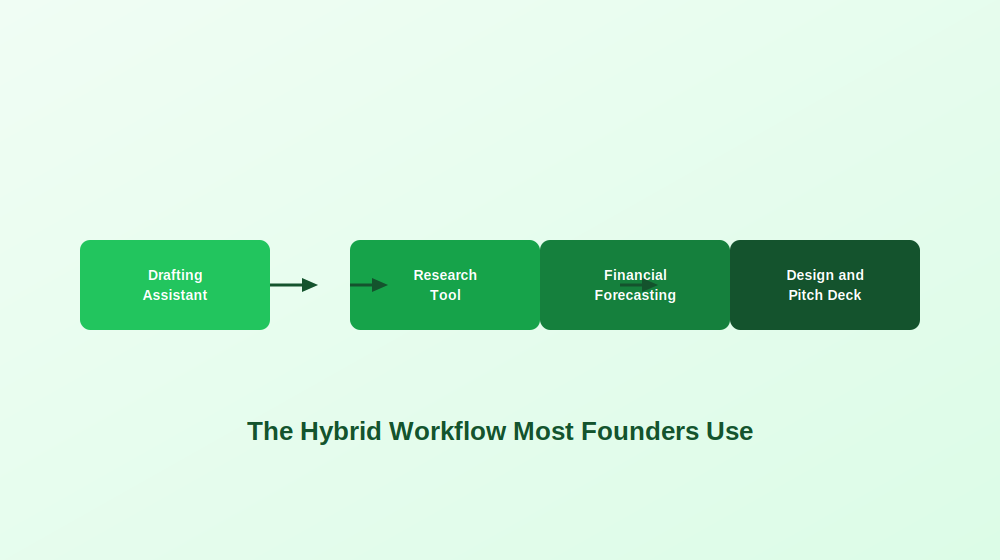
Across nearly every serious business planning effort, the strongest results rarely come from a single tool used in isolation. A genuinely effective workflow usually combines a conversational AI assistant for drafting and rewriting, a dedicated research tool for citation backed market data, a forecasting platform for the actual financial model, and a design focused tool for the final pitch deck and visual presentation.
This obviously takes longer than typing a single prompt into one tool and calling it done. But the resulting document consistently looks and holds up far better under real scrutiny, which matters enormously the moment an actual investor or loan officer starts asking follow up questions.
Matching a Tool to Your Actual Audience
The right AI business plan tool depends far more on who will actually read the document than on what industry you happen to be in.
For angel investors and venture capital, a forecasting focused tool for the financial model paired with a general assistant or design tool for narrative polish tends to work best, since investors care most about market logic, growth assumptions, and genuinely clear storytelling. For SBA or bank loan applications, a dedicated forecasting platform with proper three statement modeling and standardized formatting is close to essential, since a lender will scrutinize the math well before reading any vision statement. For first time founders still validating an idea, a guided, beginner friendly platform makes the most sense before investing further time into a fully polished document. For internal operating plans, speed usually matters more than polish, making a fast, flexible drafting tool the more practical choice. For grant applications, reviewers typically expect clarity and skimmable structure over financial complexity, favoring tools strong on organization and presentation.
Real Risks Worth Taking Seriously
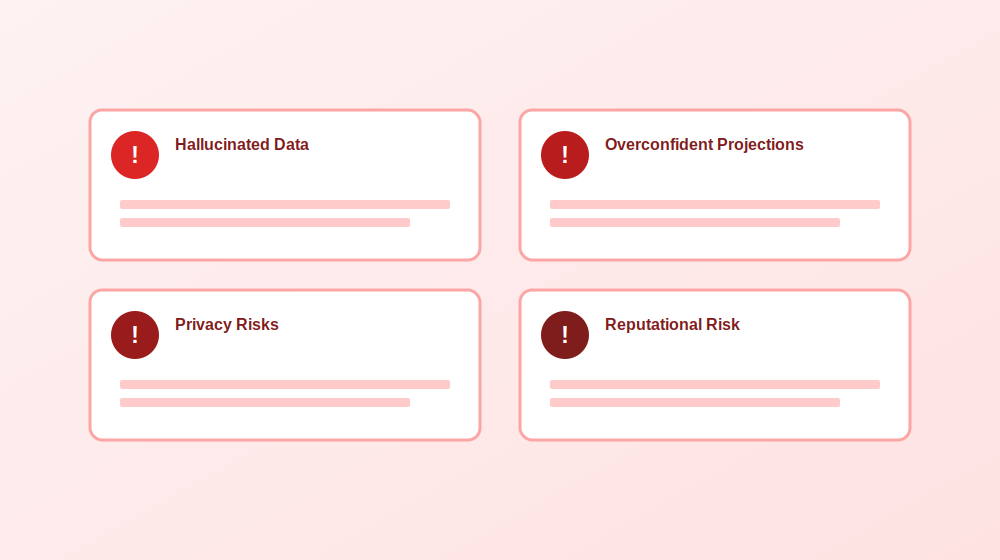
A handful of recurring problems show up constantly across founder communities discussing AI generated business plans, and each one has a fairly straightforward mitigation.
Hallucinated market data and invented competitors remain the single most common issue. The safest fix is manually verifying every statistic and claim against at least two independent, credible sources before it goes anywhere near a final document.
Overly optimistic financial projections show up almost universally in AI generated numbers. A simple stress test, reducing projected revenue by roughly thirty percent, increasing costs by a similar margin, and pushing timelines back by an extra ninety days, quickly reveals whether a business model actually survives more realistic assumptions.
Privacy and confidentiality risks deserve real attention too. Sensitive information, from customer lists to unreleased product details, should never be pasted into a tool without first understanding exactly how that platform handles and potentially retains submitted data.
Reputational risk with experienced readers rounds out the list. Investors and lenders review enormous numbers of plans and tend to recognize generic AI phrasing or logically inconsistent assumptions quickly. The real problem is rarely that AI was used at all. It is that the output was never properly edited, verified, or made genuinely specific to the actual business.
A Verification Checklist Before Sharing Anything
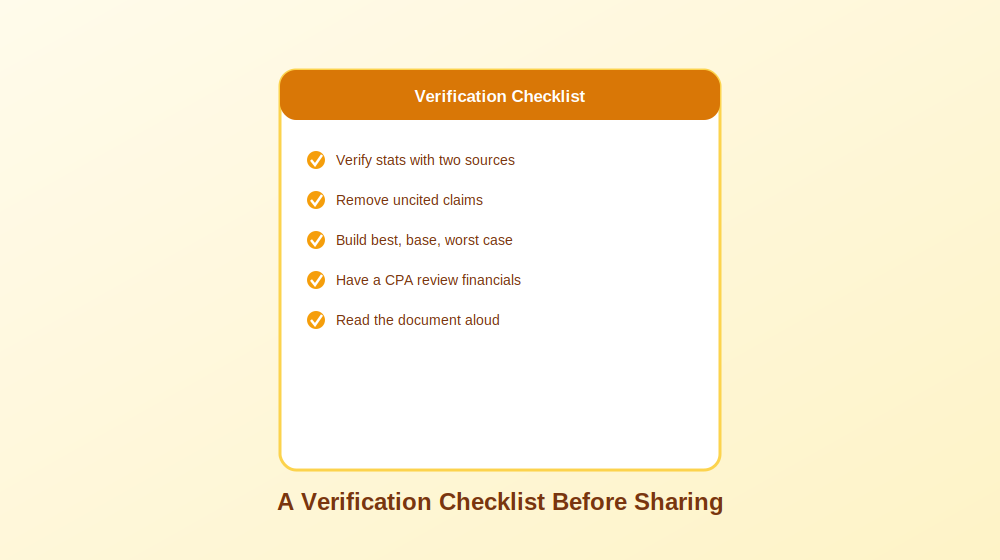
Before sending a business plan to anyone whose opinion actually matters, a short verification pass catches most of the problems that otherwise surface at the worst possible moment. Confirm every market statistic against at least two independent sources. Remove or clearly caveat any claim that cannot be properly sourced. Build out a best case, base case, and worst case financial scenario rather than presenting a single optimistic projection as certain. Have a qualified accountant or financial advisor review the actual numbers. And finally, read the entire document aloud, since this single habit catches robotic, AI sounding phrasing far more reliably than silently rereading it on a screen.
Frequently Asked Questions
Can AI actually create a usable business plan? Yes, particularly for early drafts, outlines, and organizing scattered ideas. The gap between a usable early draft and something genuinely ready to send to an investor or lender is real, and closing that gap requires human verification of every number, claim, and assumption.
Are free AI business planning tools worth using? Many are genuinely useful for early stage drafting and validation. Free tiers typically limit exports, deep financial forecasting, or collaboration features, but they remain a reasonable starting point before deciding whether a paid tool is actually worth the investment.
How accurate are AI generated financial projections? Directionally useful at best, but rarely investor or lender ready without significant manual adjustment. Most tools default toward optimistic assumptions unless a user deliberately stress tests the numbers against more conservative scenarios.
Will investors reject a plan just because AI helped write it? Generally no. Investors care far more about clarity, credibility, and consistent logic than which tool assisted with drafting. They will reject a plan with vague strategy or unsupported claims regardless of whether AI was involved in writing it.
What is the single biggest risk of relying on an AI generated business plan? Fabricated statistics and invented competitors that sound entirely plausible but cannot be independently verified. This single issue causes more damage to credibility than almost any other AI related mistake in business planning.
Final Thoughts
AI has genuinely changed how quickly a business plan can go from a rough idea to a structured, professional feeling document. What it has not changed is the fundamental need for human judgment, independent verification, and real financial discipline before that document reaches anyone whose decision actually matters. The founders getting the best results treat AI tools as genuinely capable collaborators for speed and organization, while keeping every number, every competitive claim, and every strategic decision firmly under their own control.
Writing a research proposal is one of those tasks that manages to feel exciting and genuinely intimidating at the same time. You usually have the ideas and a rough sense of direction, but turning that into a properly structured proposal is exactly where most people get stuck. This is where ChatGPT can genuinely help, provided you use it the right way.
This guide walks through how to use ChatGPT to draft a research proposal step by step, from narrowing down a topic to organizing methodology and polishing the final writing. The goal is never to outsource your actual thinking or let AI generate your research for you. It is to make the drafting process faster, less stressful, and considerably easier to organize while your own ideas and academic voice stay firmly in control.
One thing worth saying upfront: ChatGPT is genuinely useful for writing support and structure, but it is not a reliable source of truth. It can invent citations, misunderstand research context entirely, or state something confidently incorrect without any hesitation. Fact checking everything and verifying every source yourself remains non negotiable.
Is It Actually Allowed to Use ChatGPT for a Research Proposal?
Short answer: yes, in most cases. The real question is not whether you can use it, but how.
Most universities, supervisors, funding bodies, and journals have started accepting AI assisted writing tools in some capacity, particularly for drafting and editing support. The tricky part is that policies vary considerably. Some programs are entirely comfortable with using ChatGPT for brainstorming or editing, others require formal disclosure, and a smaller number restrict it heavily.
Before pasting your entire draft into ChatGPT at one in the morning, take a few minutes to actually check your program’s official policy. A reasonable rule of thumb: using ChatGPT as a genuine writing assistant is usually fine. Using it to replace your actual research thinking is where things get genuinely risky.
Where ChatGPT Genuinely Helps
A handful of tasks sit comfortably within acceptable use for most programs: brainstorming research topics or narrowing something broad, building an outline for your proposal sections, rewriting sentences for clarity, summarizing your own notes or articles you have already read, generating sample interview or survey questions, formatting headings and section structure, explaining complex concepts more simply, and checking tone, grammar, or general readability. In short, ChatGPT works best as a productivity and organization tool rather than a substitute researcher.
Where Things Get Genuinely Risky
A few uses cross real ethical or academic lines: generating fabricated findings or data, inventing citations or sources outright, presenting AI generated work as entirely your own independent thinking, uploading confidential or participant identifiable information, or using AI written content without ever reviewing or verifying it. ChatGPT can sound extremely confident while being completely wrong, which is exactly why verification matters so much in academic work.
A Quick Compliance Checklist
Before submitting anything, run through a short checklist: confirm your university, supervisor, or funder’s actual AI policy, keep copies of your drafts and prompts, disclose AI use if your institution requires it, verify every citation and statistic manually, avoid pasting sensitive research or participant data into any AI tool, and make sure the final proposal genuinely reflects your own reasoning and decisions.
The 30 Percent Rule: A Simple Way to Stay in Control
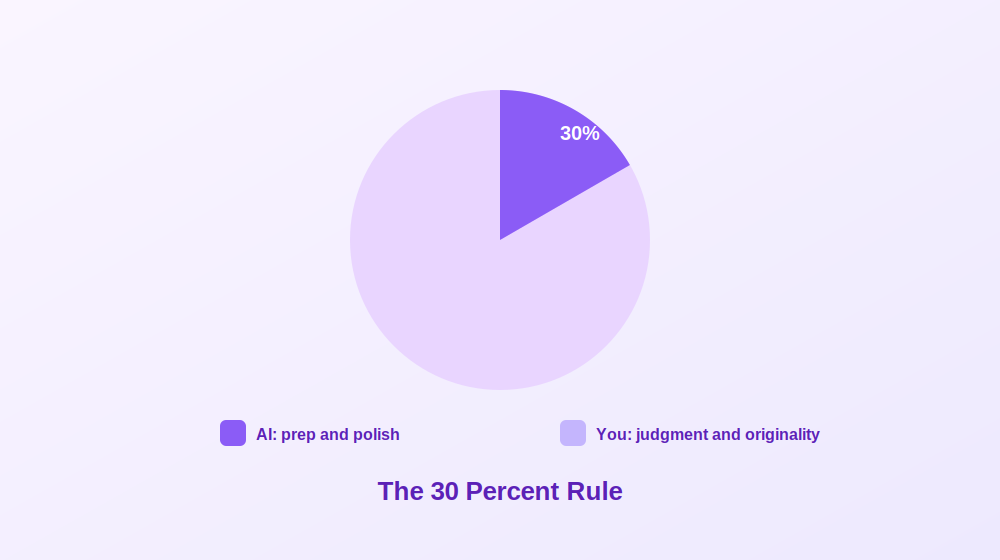
One of the easiest ways to use ChatGPT responsibly is a simple standard worth adopting as a habit: AI helps with preparation and polish, while you remain fully responsible for judgment and originality.
In practice, ChatGPT can help you move faster, organize messy thoughts, and improve overall readability. But the actual intellectual work, the real research thinking, still needs to come from you.
Tasks ChatGPT can genuinely help with include building proposal outlines, rewording awkward paragraphs, improving clarity and flow, suggesting alternate phrasing, turning bullet points into draft paragraphs, checking a proposal against a rubric, organizing literature themes, and creating draft section headings.
Tasks that need to stay firmly human led include identifying a meaningful research gap, making methodological decisions, defending why your study actually matters, assessing feasibility and limitations honestly, making genuine ethical commitments, interpreting sources accurately, verifying citations and evidence, and developing original arguments and insight.
This distinction matters more than most people initially realize. Reviewers can usually tell when a proposal feels generic, oddly over polished, or disconnected from real subject knowledge. Strong proposals sound thoughtful and specific precisely because they reflect genuine research judgment, not just smooth writing. Used carefully as a drafting and organization assistant rather than a replacement thinker, AI can genuinely make the process more manageable without compromising academic integrity.
Before You Prompt: The Core Parts of a Research Proposal
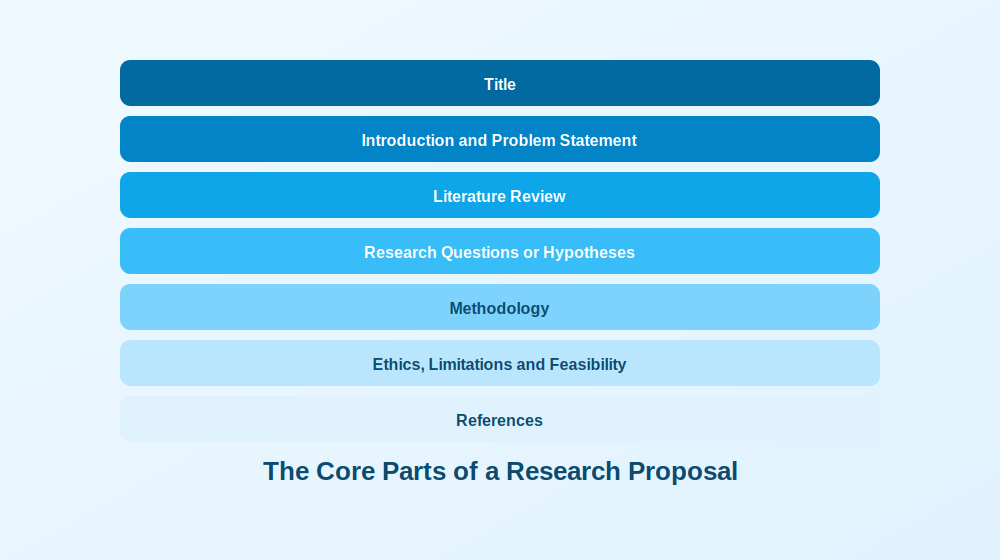
Before throwing prompts at ChatGPT, it helps enormously to know what a proposal is actually supposed to include. Jumping straight into “write my introduction” mode often means realizing halfway through that entire sections are missing.
The exact structure varies by university and department, but most proposals include a clear title, an introduction covering background and problem statement, a literature review summarizing existing research and gaps, research questions or hypotheses, a methodology section covering design and data collection, a section addressing ethics and feasibility, and a reference list. Depending on your program, you might also need a timeline, budget estimates, an expected outcomes statement, or a theoretical framework section.
A Master’s proposal is usually shorter and somewhat more exploratory, while doctoral and grant proposals go considerably deeper into methodology, originality, and expected impact. Always follow your department’s actual rubric over any generic template found online. A beautifully written proposal that ignores required formatting will be noticed immediately by reviewers.
Drafting Each Section With ChatGPT, Step by Step
Instead of asking ChatGPT to “write my research proposal,” which tends to produce generic, unusable output, treating it like a genuine collaborative assistant and working section by section produces dramatically better results.
Start by Giving ChatGPT Your Real Constraints
This single step makes an enormous difference. Most poor AI output happens because the prompt is too vague. ChatGPT cannot read your department’s rubric or your supervisor’s expectations unless you actually provide that information directly.
Before asking for a draft, share your discipline, academic level, word count limit, required headings, intended audience, citation style, research approach, and any major constraints around time, access, or sample size. A useful prompt frames ChatGPT as a research methods supervisor and asks it to suggest a realistic outline, flag missing information, and ask clarifying questions before drafting anything. If it immediately starts writing full sections without asking anything back, the prompt likely still needs more detail.
Generate and Narrow a Genuinely Feasible Topic
This step determines whether a proposal stays manageable or spirals into something far too ambitious. A strong topic is specific, researchable, feasible within your actual timeline, relevant to your field, and supported by data or participants you can genuinely access.
Useful prompts here include asking for ten possible topic angles within a broad area, each with a suggested research gap, methodology, target population, and feasibility notes, then narrowing your top three into one focused topic prioritizing realistic scope and methodological feasibility. Asking for a feasibility risk table covering recruitment, ethics, timeline, and data collection challenges at this stage can genuinely save months of future stress.
Write Research Questions, Aims, and Hypotheses
This section trips people up because the terminology sounds interchangeable but is not. A research aim describes the overall purpose. Research questions describe specifically what you want to investigate. Hypotheses are testable predictions, typically for quantitative work.
A genuinely useful workflow asks ChatGPT to generate a broad, medium, and narrow version of possible research questions with methodological implications for each, then convert the chosen questions into measurable objectives, and finally critique those questions specifically for clarity, scope, measurability, and feasibility. That critique prompt tends to be one of the most useful in the entire process.
Draft the Introduction With Real Structure
Strong introductions generally follow the same flow: introduce the broader topic, explain the problem, identify the research gap, state your purpose, and explain why the study genuinely matters. Asking ChatGPT to draft an introduction using exactly this structure, specifying your topic and academic level, tends to produce a solid working draft. Follow up prompts asking it to remove vague or dramatic language, or to expand the significance section for academic, practical, and policy relevance, sharpen things further. Reviewers notice quickly whether an introduction sounds genuinely research driven or just broadly interesting, so specificity matters enormously here.
Handle the Literature Review Carefully
This is arguably the most important rule in the entire process: do not rely on ChatGPT as your primary method for actually finding academic sources. Real literature searching should happen through Google Scholar, library databases, reference managers, or articles you have already personally collected and verified. ChatGPT’s real value here is organizing and synthesizing material you provide, not discovering it.
Useful applications include generating database search strings, creating inclusion and exclusion criteria, summarizing abstracts you paste in yourself, identifying recurring themes across sources, and building synthesis tables comparing methodology, sample, findings, and limitations across studies you have already verified. Asking it to identify research gaps using only the sources you provided, explicitly instructing it not to invent anything, keeps this process genuinely safe.
Build a Defensible Methodology
The methodology section is where reviewers start asking whether a study can genuinely work in practice. A strong methods section covers research design, sample and participants, data collection, instruments, analysis approach, and validity considerations alongside honest limitations.
Useful prompts include comparing two or three possible research designs with strengths, weaknesses, and ethical considerations for each, drafting the methodology section in future tense once a design is chosen, identifying threats to validity or reliability with realistic mitigation strategies, and, perhaps most usefully, asking ChatGPT to act as a skeptical reviewer challenging the methodology’s weaknesses and assumptions directly.
Address Ethics, Privacy, and What Never Belongs in a Prompt
This section deserves more attention than most people give it. Even a seemingly harmless topic requires real thought about confidentiality, consent, and data protection, especially where human participants are involved.
Never paste identifiable participant information, patient or health data, proprietary datasets, confidential institutional documents, unpublished results, sensitive transcripts, or partner organization information into a public AI tool. Safer alternatives include anonymizing examples, summarizing sensitive content instead of pasting it directly, removing identifying details entirely, and using institution approved AI tools where available. A useful prompt asks for a draft ethics section covering informed consent, confidentiality, data storage, risk mitigation, and withdrawal rights, alongside a separate data management plan covering storage, access, anonymization, and retention procedures.
Build a Realistic Timeline and Budget
This section shows reviewers whether a project is genuinely manageable within its stated constraints. Typical milestones include approval processes, recruitment, data collection, analysis, writing, revision, and submission. A useful prompt asks for a realistic project timeline table spanning six to twelve months with milestones and estimated completion dates, and, where required, a simple budget table with short justifications for participant incentives, software, travel, transcription, materials, and contingency costs. Even when a formal budget is not required, working through likely costs often surfaces feasibility issues early.
Save the Title and Abstract for Last
Writing a title first often means rewriting it more than a dozen times as the project evolves. It is usually far easier to finalize the title and abstract once the proposal is mostly complete, since your argument, methods, and contribution are clearer by then. Useful prompts ask for a mix of formal and slightly more engaging title options, followed by a concise abstract covering the research problem, literature gap, aims, methodology, and expected contribution in formal academic tone.
A Citation Safe Workflow That Actually Protects You
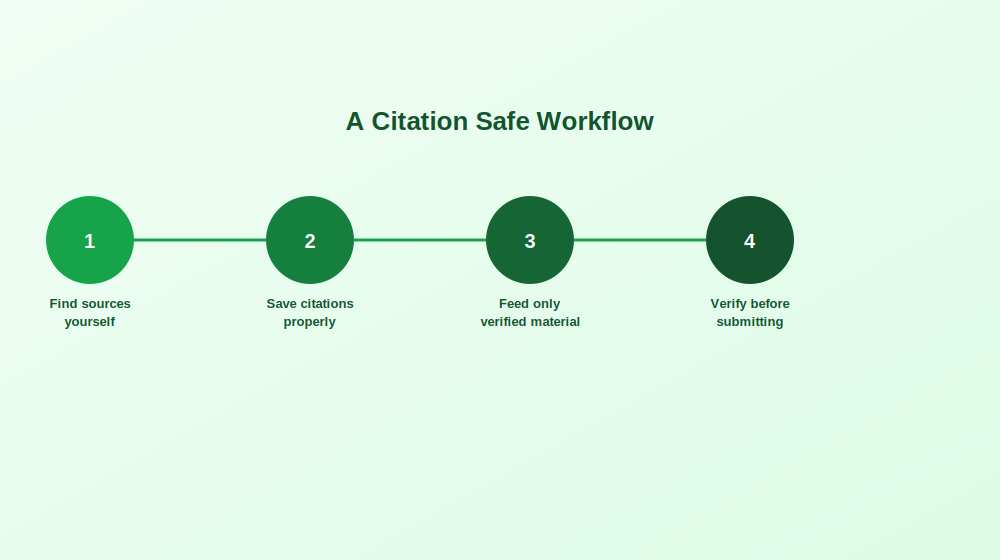
One of the biggest mistakes people make with ChatGPT is assuming it handles citations reliably. It genuinely does not. It can sound completely convincing while inventing article titles, fake identifiers, and authors who simply do not exist. Using AI generated references without independently checking them is essentially playing academic roulette.
A safer workflow starts with finding sources yourself through genuine academic databases and library tools, since deciding which studies are credible and relevant still requires real human judgment. Save verified citations properly in a reference manager, or at minimum a clean document listing authors, title, journal, year, identifier, and key findings.
From there, only feed ChatGPT material you have already verified yourself, whether that is your own notes, verified abstracts, or specific quotes you selected. Ask for synthesis rather than discovery: instead of requesting references about a topic, provide verified abstracts and ask what themes, disagreements, or gaps emerge across them. This keeps intellectual control firmly with you while still speeding up the actual writing.
Once ChatGPT helps draft or organize a paragraph, insert citations yourself manually using your verified source list, never copying AI generated citations directly. Before submitting anything, verify that every citation genuinely exists, confirm author names and publication years, check that identifiers actually resolve correctly, and run a similarity check alongside a careful review of paraphrased sections.
If ChatGPT does offer citations unprompted, treat them strictly as possible leads rather than trustworthy references. Search the title independently, verify the authors exist, confirm the journal is real, and discard anything that cannot be quickly verified.
Avoiding Patchwriting When Paraphrasing
A surprisingly common problem with AI assisted writing is patchwriting, meaning rewriting sentences just enough to sound different while still copying the original structure too closely. A safer approach quotes directly when exact wording genuinely matters, keeps page numbers for important quotations, rewrites ideas fully in your own structure and voice rather than swapping in random synonyms, and compares your paraphrase against the original source afterward. If a paraphrase still sounds suspiciously close to the source, it needs another pass.
Will AI Detection Actually Catch This?
Many students quietly wonder whether universities can reliably detect ChatGPT use. Honestly, not consistently. Detection tools remain imperfect, producing real false positives regularly, flagging genuinely human written work while heavily AI assisted writing sometimes passes undetected entirely.
Focusing purely on beating detection is the wrong mindset regardless. The real goal is producing work that is academically honest, policy compliant, and genuinely reflects your own thinking. Being transparent about your process, and able to show how your ideas actually developed, puts you in a considerably stronger position than trying to hide AI use entirely.
What genuinely helps demonstrate authorship if anyone ever asks includes early drafts and rough notes, annotated bibliography documents, research planning notes, version history in whatever document tool you use, saved prompts and outputs, and a simple log showing how the tool was actually used throughout. Students who use AI responsibly and transparently tend to be in a much safer position than those trying to conceal heavy use with zero documentation.
Common Mistakes Worth Avoiding
A vague prompt reliably produces generic writing. Adding real constraints, including your research focus, academic level, word count, relevant theories, and actual rubric requirements, consistently produces far more useful output.
Methods that do not match research questions happen frequently when sections get drafted separately. Running a dedicated alignment check, asking ChatGPT to review your questions and methodology together for mismatches, catches this surprisingly reliably.
Overconfident claims are another recurring issue, since ChatGPT tends to sound certain even when evidence is genuinely weak. Asking explicitly for more academic caution and flagged claims needing stronger evidence fixes this quickly.
Invented citations remain a persistent risk that only the citation safe workflow above genuinely protects against, requiring manual verification of every single reference without exception. Finally, tone and tense sometimes drift unexpectedly mid draft. Being explicit about formal academic English and future tense, specifically for a graduate audience, keeps things consistent.
A Final Checklist Before Submission
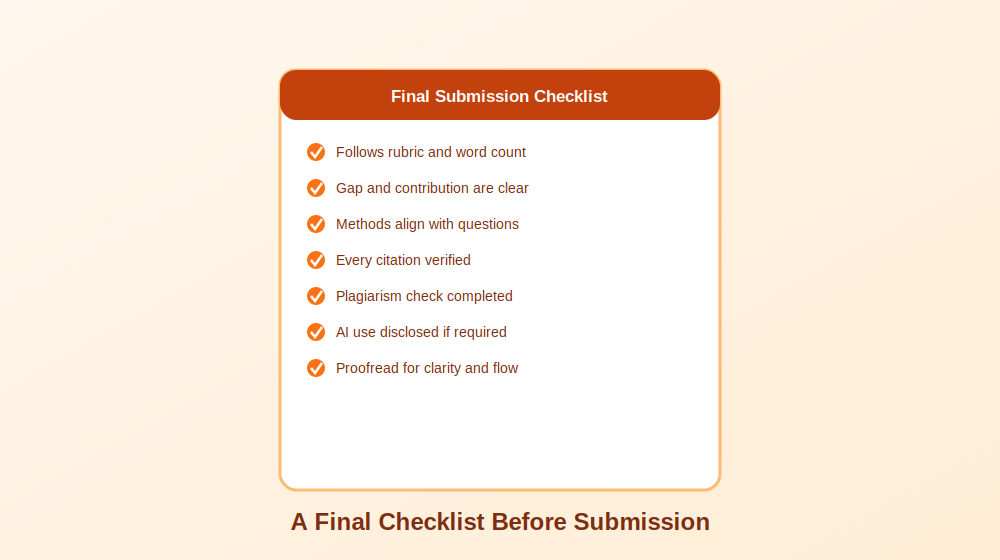
Before submitting anything, work through a last, careful pass: confirm the proposal follows the required rubric, headings, and word count; confirm the research problem, gap, and contribution are clearly explained; confirm research questions align genuinely with the methodology and analysis plan; confirm ethics, limitations, and data management are properly addressed; verify every single citation through a real database; complete a similarity or plagiarism check; confirm quotes and paraphrases are properly cited; disclose AI use if your institution requires it; save your AI contribution notes or prompt history; and proofread the entire document for clarity, flow, and concision.
This final review consistently matters more than people expect. A proposal built around a genuinely strong idea can still feel noticeably weaker to reviewers if small inconsistencies slip through. Spending an extra hour checking citations, alignment, and formatting is almost always worth the investment.
Final Thoughts
Used thoughtfully, ChatGPT can genuinely transform how manageable writing a research proposal feels, without ever replacing the actual thinking that makes a proposal strong. The students and researchers who get real value from these tools are the ones who treat AI as a capable drafting and organization assistant, while keeping every meaningful judgment call, every citation, and every core argument firmly in their own hands.
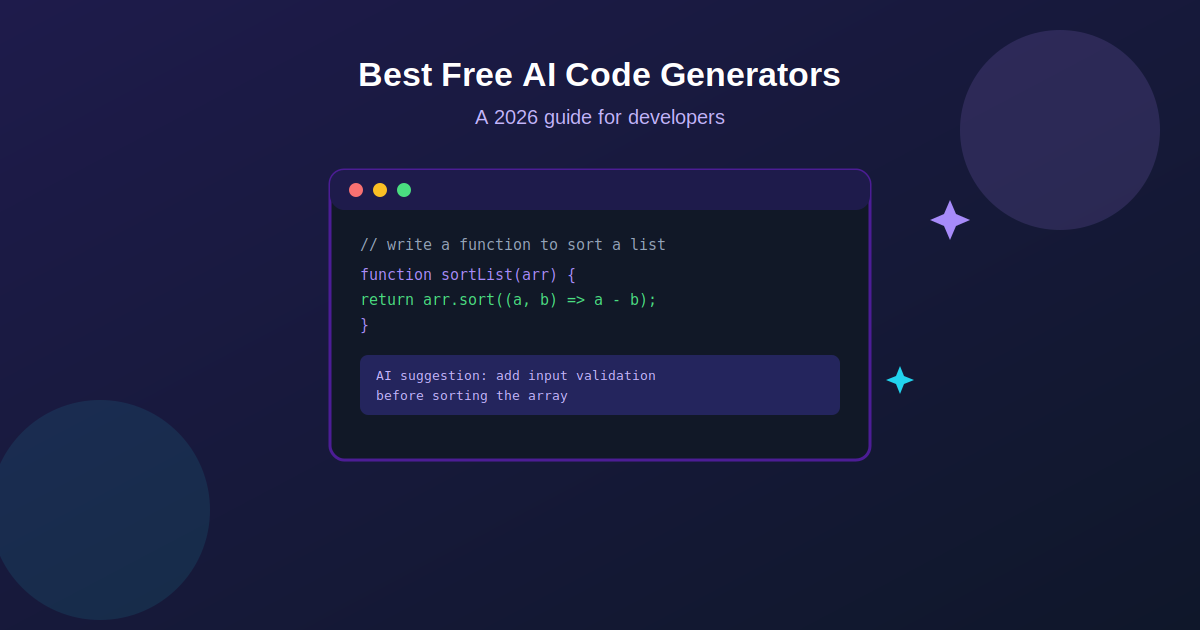
Artificial intelligence has reshaped nearly every corner of software development, and writing code itself is no exception. What used to mean typing out every line by hand now often starts with a plain language prompt and a suggestion that appears almost instantly. AI code generators have become genuinely useful tools for developers at every level, helping automate repetitive work, catch mistakes earlier, and speed up the overall pace of building software.
The good news is that some of the strongest tools in this space are available completely free, or offer a free tier generous enough for real daily use. This guide walks through what AI code generators actually do, how they work under the hood, and which free options are genuinely worth trying in 2026.
What Is an AI Code Generator, Exactly
An AI code generator is a tool that uses machine learning, and increasingly large language models trained specifically on code, to generate, complete, or optimize programming code based on a natural language prompt or existing context. Rather than requiring a developer to write every function from scratch, these tools understand programming syntax, common patterns, and language specific conventions well enough to produce working code from a simple description.
Modern AI code generators rely on natural language processing and deep learning techniques trained on enormous datasets of real, public code. That training is what lets them understand a request like “write a function to sort a list of numbers” and return something syntactically correct, reasonably optimized, and aligned with common best practices for that language.
Whether you are a complete beginner still learning fundamentals or an experienced developer trying to move faster on repetitive tasks, these tools genuinely change the daily rhythm of writing software, letting a developer focus more on architecture and problem solving and less on typing out boilerplate.
How These Tools Actually Work Behind the Scenes
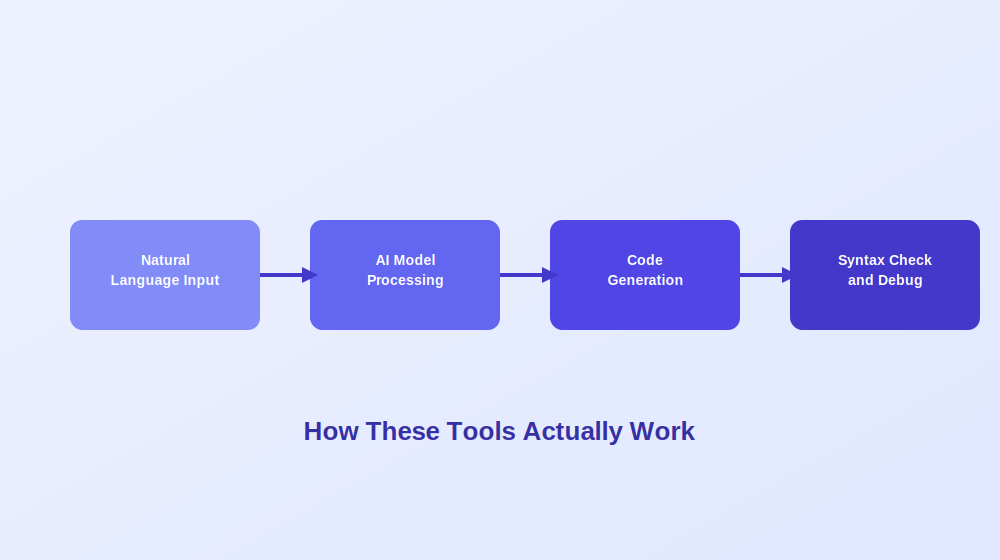
The general workflow behind most AI code generators follows a fairly consistent pattern, even though the specific models and interfaces vary quite a bit between tools.
It starts with understanding natural language input. A developer describes what they need in plain English, something like “write a Python function to calculate a factorial” or “add error handling to this API call.” The tool then processes that input using a deep learning model trained on vast repositories of real code, drawing on patterns learned across millions of examples to understand intent.
From there, the model generates a code snippet aiming to be both syntactically correct and reasonably optimized based on established best practices for that language and context. Many tools layer additional syntax checking and basic debugging on top of the initial output, catching obvious errors before ever presenting a suggestion to the developer.
The strongest tools go further still, understanding not just an isolated prompt but the broader context of an entire codebase, which lets them produce suggestions that actually fit the existing style, naming conventions, and architecture of a real project rather than generic, disconnected snippets.
Why Developers Are Adopting These Tools So Quickly
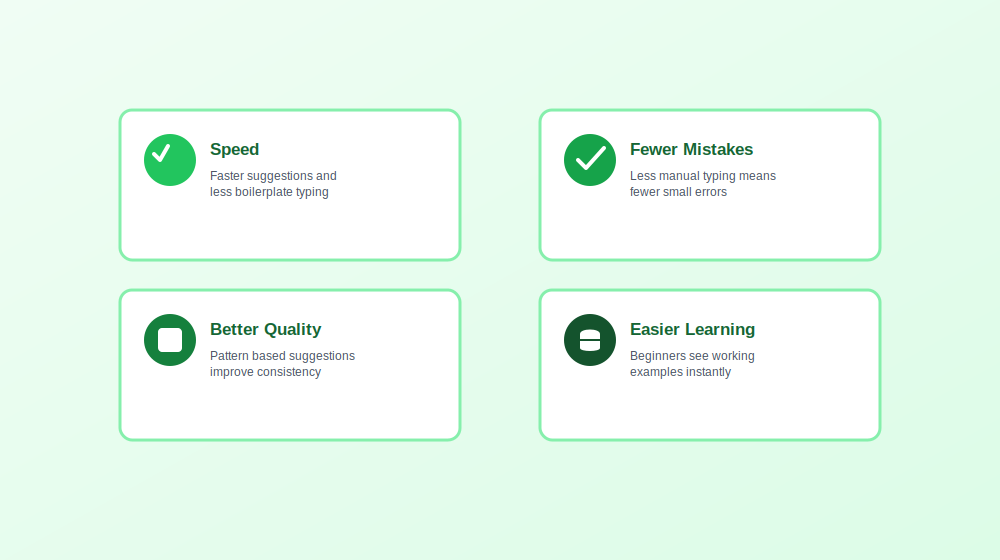
A few clear benefits explain why AI code generators have moved from novelty to genuinely standard tooling for a large share of developers.
Speed is the most immediate benefit. Instant code suggestions and automated handling of repetitive, boilerplate heavy tasks free up meaningfully more time for the parts of development that actually require human judgment, like architectural decisions and genuinely difficult problem solving.
Fewer careless mistakes tend to follow naturally. By reducing how much repetitive typing a developer does by hand, these tools cut down on simple syntax errors and small logical slips that would otherwise eat up debugging time later.
Better overall code quality is a less obvious but real benefit. Many tools analyze patterns across a codebase and suggest improvements a developer might not have considered, contributing to more consistent style and, over time, measurably fewer runtime errors.
A gentler learning curve for newer developers rounds things out. Someone still learning a language can see working, idiomatic examples generated instantly, which often teaches conventions and patterns faster than reading documentation alone ever could.
That said, none of this replaces genuine understanding. AI generated code still benefits enormously from human review, and treating suggestions as a strong first draft rather than a finished, trustworthy answer remains the safest way to use any of these tools.
Strong Free AI Code Generators Worth Trying
General Purpose Coding Assistants
One of the most widely adopted tools in this category, developed through a partnership between a major code hosting platform and a leading AI research lab, provides real time code suggestions directly inside your editor as you type. It supports a wide range of programming languages and frameworks, making it flexible enough for nearly any kind of project. While its full feature set generally sits behind a subscription, a free trial period gives developers a genuine chance to evaluate whether it fits their workflow before committing financially, and free access remains available for qualifying students and open source maintainers.
Another strong general purpose assistant integrates smoothly with popular code editors, offering completions and contextual suggestions based on what you are actively working on. It has built a reputation for genuinely useful autocomplete that adapts to a developer’s own coding patterns over time, and a solid free tier makes it accessible without any upfront cost.
Tools Built Around Broader Developer Workflows
A versatile assistant designed to help with a wider range of tasks beyond raw code generation, including documentation and debugging support, supports well over fifty programming languages and integrates with popular editors. Its free plan offers limited but genuinely usable functionality, letting developers explore real capabilities before considering a premium upgrade.
A newer entrant in this space focuses specifically on real time suggestions paired with debugging assistance and code optimization recommendations, integrating across a range of development environments and supporting multiple languages within a single, consistent workflow.
Open Source and Codebase Aware Options
For developers who want a genuinely open source option, one standout assistant is built specifically to understand an entire codebase rather than just the immediate file open in an editor. This context aware approach means suggestions, debugging help, and even generated documentation reflect how a specific project is actually structured, not just generic patterns pulled from public code in general. Being open source also means the tool can be inspected, modified, and self hosted by teams with stricter data requirements.
Fully agentic coding environments have also emerged as a distinct category, going well beyond simple autocomplete. These tools can reason across multiple files simultaneously, make coordinated edits from a single natural language instruction, and maintain context across a genuinely large project without losing track of how different pieces connect. For developers working on substantial, established codebases rather than small scripts, this category has quickly become one of the most useful additions to a daily workflow.
What the Future Likely Holds for AI Code Generation
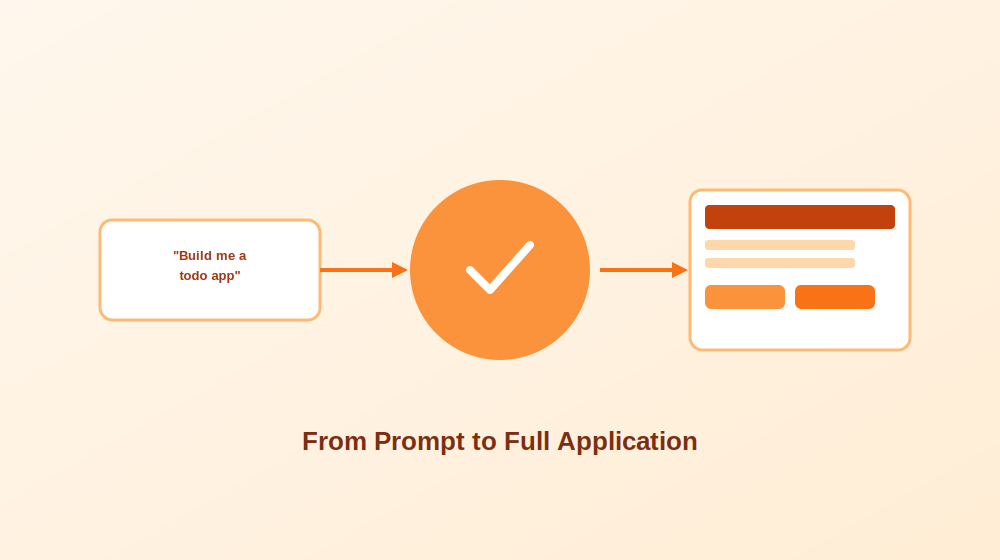
Today’s tools mostly generate snippets or assist with completing code a developer has already started. The next phase of this technology points toward something considerably more ambitious: building entire applications from a high level specification.
In practice, this could mean a developer provides a rough outline or a plain language description of an application, and the AI generates everything from the front end interface through the back end logic and even the underlying database schema. Early experiments along these lines, building a simple full stack application from a natural language description, have produced genuinely promising results, though not without real limitations.
Without meaningful human oversight, results tend to fall noticeably short of what a thoughtful developer would produce by hand. Fine tuning, careful debugging, and serious security review remain essential steps no AI tool can fully replace on its own. Even so, AI generated applications, used properly alongside human judgment, could meaningfully reduce development time and lower the barrier to entry for people just starting to learn to program, which represents a genuinely significant shift for the industry as a whole.
How to Choose the Right Free Tool for Your Needs
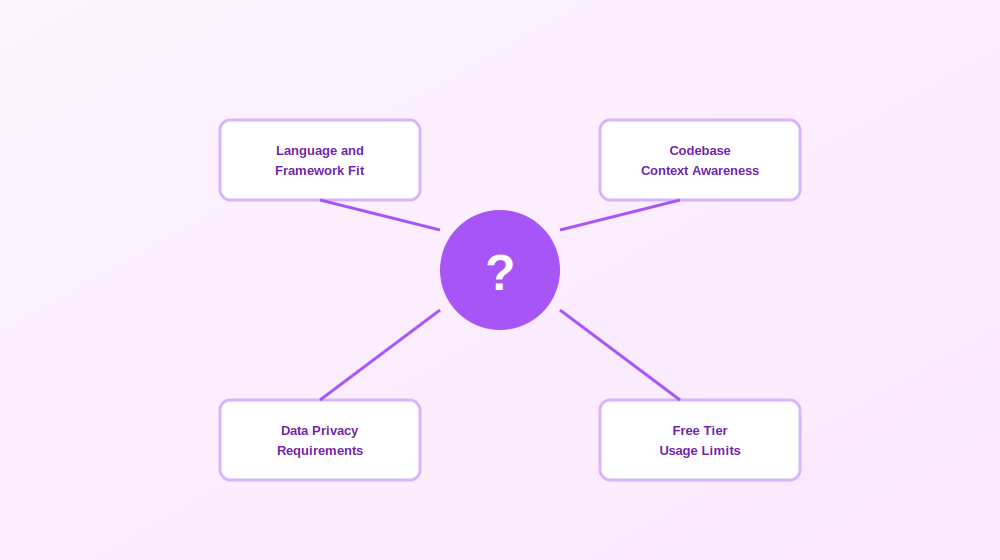
With a genuinely wide range of solid free options available, a few practical questions help narrow the field quickly.
What languages and frameworks do you actually work in? Some tools are broadly general purpose, while others perform noticeably better within specific ecosystems. Confirming strong support for your primary stack before investing time in a new tool saves real frustration later.
Do you need context across an entire codebase, or just inline suggestions? Simple autocomplete style tools work well for smaller projects and everyday scripting, while codebase aware assistants offer considerably more value on larger, established projects where consistency and architectural awareness genuinely matter.
How important is data privacy for your situation? Teams working with proprietary or sensitive code should look closely at how a given tool handles data, whether it trains on submitted code, and whether a genuinely self hosted or open source option might fit better than a fully cloud based service.
Does the free tier actually cover your real usage? Some tools offer a fully usable free tier indefinitely, while others provide only a limited trial before requiring payment. Understanding these limits upfront avoids an unwelcome surprise once a workflow already depends on a particular tool.
Getting the Most Out of an AI Code Generator
A few habits noticeably improve the results these tools produce in daily use. Writing clear, specific prompts rather than vague requests tends to produce meaningfully better suggestions, since the model has more genuine context to work with. Reviewing every suggestion before accepting it, rather than blindly trusting the output, catches the inaccuracies that inevitably slip through even the strongest models. Using these tools for genuinely repetitive, boilerplate heavy work while reserving complex architectural decisions for real human judgment tends to produce the best overall balance between speed and quality. And treating generated code as a solid first draft, not a finished, trustworthy answer, keeps the fundamentals of good software engineering firmly in place even as the tooling around it keeps evolving quickly.
Frequently Asked Questions
What exactly is an AI code generator? It is a tool that uses artificial intelligence and machine learning to generate, optimize, and suggest code based on a natural language prompt or existing context, trained to understand programming syntax, common patterns, and language specific best practices.
Are free AI code generators actually good enough for real work? Many are genuinely capable for everyday development tasks. Free tiers typically offer solid core functionality, though paid versions often add deeper context awareness, higher usage limits, and more advanced features for larger, more complex projects.
Can beginners use AI code generators to learn programming? Yes, and many find it genuinely helpful. Seeing working, idiomatic code generated instantly can reinforce syntax and common patterns faster than reading documentation alone, though a beginner should still take time to understand why generated code works rather than copying it blindly.
Will AI code generators eventually replace developers? Unlikely in any complete sense. These tools automate repetitive tasks and speed up routine work considerably, but they still lack genuine creativity, nuanced critical thinking, and the kind of deep, context specific problem solving that real software projects consistently demand.
What is the difference between a code completion tool and a fully agentic coding assistant? Code completion tools primarily suggest the next few lines or complete a function based on immediate context. Agentic assistants go further, reasoning across an entire codebase, making coordinated multi file edits from a single instruction, and maintaining broader project context throughout a session.
Do AI code generators work for every programming language? Most support a wide range of major languages, though depth of support genuinely varies. Some tools perform noticeably better in widely used languages with abundant public training data, while support for newer or more niche languages can be considerably more limited.
Final Thoughts
AI code generators have moved well past being a novelty and have become a genuinely practical part of how a large share of developers write software today. The strongest free options now offer real, meaningful value, whether that means faster autocomplete, smarter debugging assistance, or codebase aware suggestions that actually understand the project you are working within. The technology keeps evolving quickly, and the gap between assisting with individual functions and helping architect entire applications continues to narrow. For now, the developers getting the most value are the ones treating these tools as a genuinely capable collaborator rather than a replacement for real engineering judgment, pairing AI generated speed with the kind of careful human review that good software has always required.

Best AI Business Plan Generators: A Practical Comparison Guide

How to Use ChatGPT to Write a Research Proposal the Right Way

Best Free AI Code Generators to Try in 2026

The Transformative Benefits of Artificial Intelligence in Modern Life

AI, SaaS, SEO & Link Building: The New Operating System of Digital Growth

Why Email Marketing Still Drives Real Business Growth in 2026
-
 Tech , SaaS5 months ago
The Transformative Benefits of Artificial Intelligence in Modern Life
-
 Tech , SaaS5 months ago
AI, SaaS, SEO & Link Building: The New Operating System of Digital Growth
-
 Email Marketing4 months ago
Why Email Marketing Still Drives Real Business Growth in 2026
-

 Business , Finance5 months ago
Business & Finance in the Modern World: Strategies, Trends, and Sustainable Growth
-

 Sports , Fashion5 months ago
Sports & Fashion: The Perfect Blend of Performance, Style, and Modern Lifestyle
-

 Email Marketing5 months ago
Email Marketing in 2026: The Ultimate Strategy for Growth, Engagement, and Conversions
-

 Business , Finance5 months ago
The New Economy: How Digital Innovation, Behavioral Finance, and Smart Systems Are Redefining Global Business
-

 Health , Education5 months ago
Health and Education: The Foundation of a Strong and Successful Society